

Navigating the world of hardware compatibility can feel like trying to solve a Rubik’s Cube blindfolded. With countless components vying for attention, it’s easy to get lost in a maze of specifications and jargon. But fear not! Understanding hardware compatibility isn’t just for tech wizards; it’s for anyone who wants their devices to play nice together.
Understanding Hardware Compatibility
Hardware compatibility refers to the ability of different components to work together without issues. Key factors influence this compatibility, such as physical dimensions, electrical requirements, and communication protocols.
Compatibility primarily revolves around specific standards. For example, motherboards support various CPUs, but not all processors fit every board. Graphics cards also vary; they must match the PCIe slots available on motherboards.
Another important aspect involves power supply units. Components require different wattages, so knowing the total power demand is crucial. A power supply unit that cannot deliver sufficient wattage may lead to component failure.
Additionally, operating systems play a significant role. Some hardware may only function with particular OS versions. An outdated driver can result in malfunctions, affecting the entire system’s performance.
Understand the peripherals too. For instance, printers, keyboards, and mice connect through different interfaces. USB ports support various devices, but compatibility varies by generation, like USB 3.0 versus USB 2.0.
When assembling or upgrading a system, research ensures that all parts work seamlessly. Resources like manufacturer websites provide compatibility lists. User reviews also highlight potential issues or successes, offering practical insight into real-world scenarios.
Recognizing these aspects simplifies the selection process. Awareness of hardware compatibility leads to smoother operations and enhanced performance. This knowledge empowers users to make informed choices, ensuring their systems run efficiently.
Importance of Hardware Compatibility
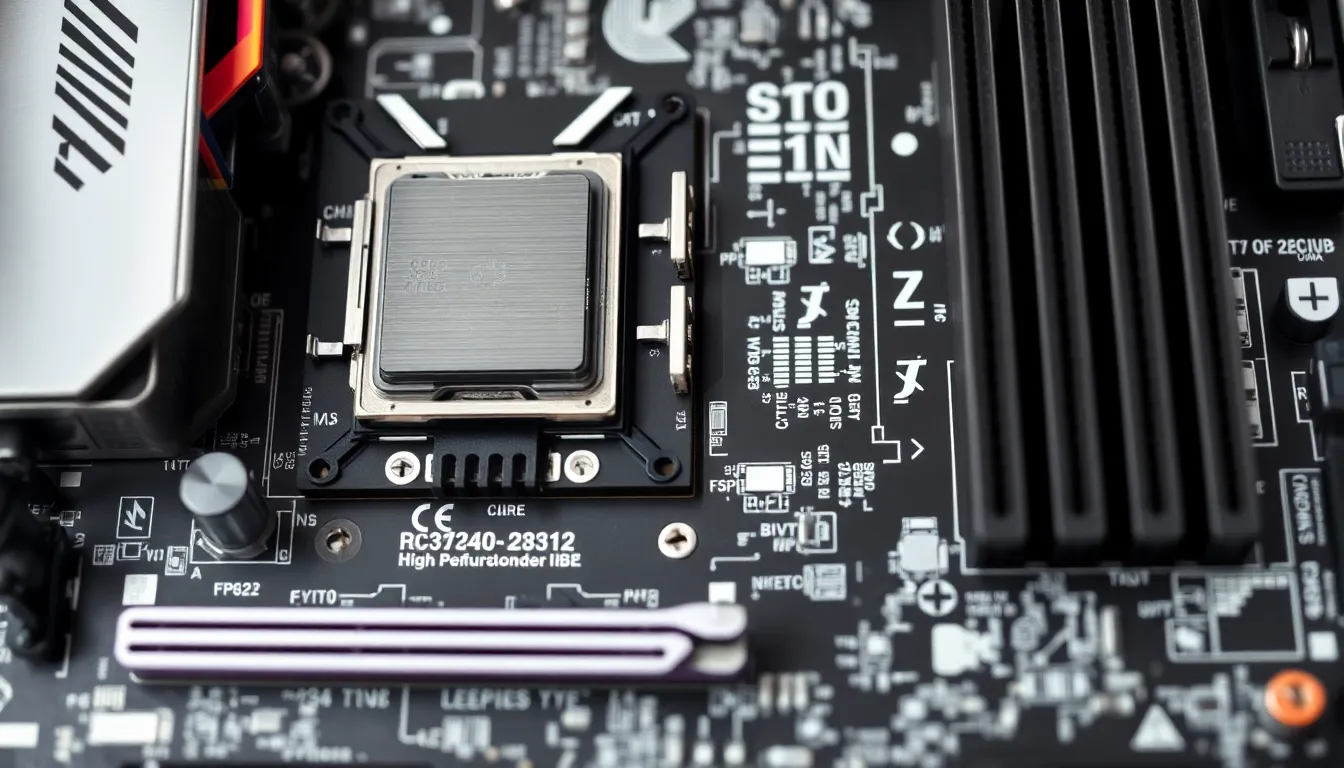
Hardware compatibility plays a crucial role in the overall functionality of a computer system. Understanding its significance helps users make informed decisions.
Performance
Performance often hinges on how well components interact within a system. High-performance CPUs require compatible motherboards to unleash their potential fully. Graphics cards must align with the motherboard’s PCIe slots for optimal function. When the right components work together, tasks like gaming or video rendering achieve smoother processing. Mixing incompatible parts can lead to bottlenecks, affecting speed and efficiency. Prioritizing performance-driven compatibility ensures users enjoy their hardware investments and maximizes productivity.
Stability
Stability remains essential for reliable computer operation. Compatible hardware reduces the risk of crashes and system failures. A mismatched graphics card or inadequate power supply can lead to instability, causing frustrating downtime. Trustworthy components often carry certifications from reputable manufacturers, indicating reliability. Ensuring compatibility with operating systems also plays a pivotal role in maintaining stability. Monitoring driver updates helps keep hardware running smoothly, allowing users to focus on their work or leisure activities without interruption.
Factors Affecting Hardware Compatibility
Understanding factors affecting hardware compatibility helps users make informed decisions. These aspects primarily include system requirements, driver support, and physical connections.
System Requirements
System requirements define the essential specifications that hardware components must meet. Users need to check the minimum and recommended requirements outlined by the manufacturer. Modern CPUs often demand specific motherboards, while RAM must align with the motherboard’s supported types and speeds. An example includes DDR4 RAM, which is incompatible with motherboards designed for DDR3. Graphics cards also have distinct requirements, including power supply ratings and PCIe slot configurations. Ensuring compatibility with system requirements reduces the likelihood of operational conflicts during installation.
Driver Support
Driver support is crucial for optimal hardware performance. Different hardware components rely on specific drivers to interact efficiently with the operating system. An updated driver can enhance functionality and compatibility, while outdated drivers might lead to malfunctions or limited performance. Regularly checking for driver updates ensures that hardware operates at its peak. For instance, graphics cards frequently receive updates that improve performance in newer games or applications. Compatibility issues often arise when new hardware lacks adequate driver support for a user’s OS version.
Physical Connections
Physical connections play a significant role in achieving hardware compatibility. Users must understand the various interfaces and cable types that connect components. For instance, USB standards evolve, and devices like printers or external hard drives might not support the latest USB 3.2 ports. Additionally, GPUs require appropriate PCIe slots, while storage drives need compatible SATA or NVMe interfaces. Mismatched connections not only hinder performance but also prevent successful installations. Confirming compatibility with physical connections ensures seamless integration between different components.
Testing Hardware Compatibility
Testing hardware compatibility involves comparing specifications and utilizing tools to ensure components work together seamlessly. Compatibility checks facilitate easier upgrades and assembly.
Compatibility Lists
Compatibility lists provide essential guides for users selecting hardware. Manufacturers often publish these lists on their websites to indicate which components function well together. Accessing these lists helps confirm if a specific motherboard supports a particular CPU or RAM type. Lists simplify choices by clearly stating compatible graphics cards for different motherboards. They also include power supply compatibility information based on component requirements. Checking compatibility lists saves time and minimizes the risk of purchasing incompatible products, allowing users to focus on building or upgrading their systems effectively.
Benchmarking Tools
Benchmarking tools play a crucial role in testing compatibility by evaluating how components perform together. These software applications assess CPU, GPU, and RAM performance in real-time scenarios. Selecting a benchmarking tool reveals how hardware interactions impact system stability and efficiency. Tools like 3DMark and Cinebench provide insights into graphical and processing capabilities. Monitoring performance metrics helps identify bottlenecks and compatibility issues before installation. Utilizing these tools empowers users to make informed decisions about hardware choices, ensuring enhanced performance in their systems.
Common Hardware Compatibility Issues
Hardware compatibility issues frequently arise during system assembly or upgrades. Mismatched components often result in poor performance or system failures. Users encounter problems when CPU types and speeds don’t align with motherboard specifications. Graphics cards can create complications if their power requirements exceed what the power supply unit can provide.
Communication protocols also contribute to these challenges. Devices may not function as expected if they don’t support the same interface types. For example, older printers might not connect with modern USB ports. Different generations of peripherals like keyboards and mice can lead to missed functionality as well.
Operating systems further complicate compatibility. Specific hardware often requires particular OS versions for proper functioning. Outdated drivers can cause malfunctions and hinder hardware performance. Regular updates are essential to maintain system stability and avoid disruptions.
The importance of physical connections cannot be overstated. Different cable types may prevent successful installations. A failure to understand these connections can lead to inefficiencies or hardware damage.
Testing hardware compatibility becomes crucial in simplifying the selection process. Manufacturers provide compatibility lists to guide users in choosing compatible components. Utilizing benchmarking tools can reveal performance bottlenecks, enabling informed decisions. Regular checks for system requirements help ensure that hardware meets specifications, effectively minimizing compatibility issues.
Navigating hardware compatibility can seem daunting but it’s essential for achieving a smooth and efficient computing experience. By understanding the intricacies of components and their interactions users can avoid common pitfalls that lead to performance issues.
Prioritizing compatibility not only enhances system stability but also maximizes productivity. Utilizing resources like manufacturer compatibility lists and benchmarking tools can simplify the selection process.
Ultimately staying informed about the latest standards and updates ensures that hardware works harmoniously together. This knowledge empowers users to make confident decisions in assembling or upgrading their systems.


